


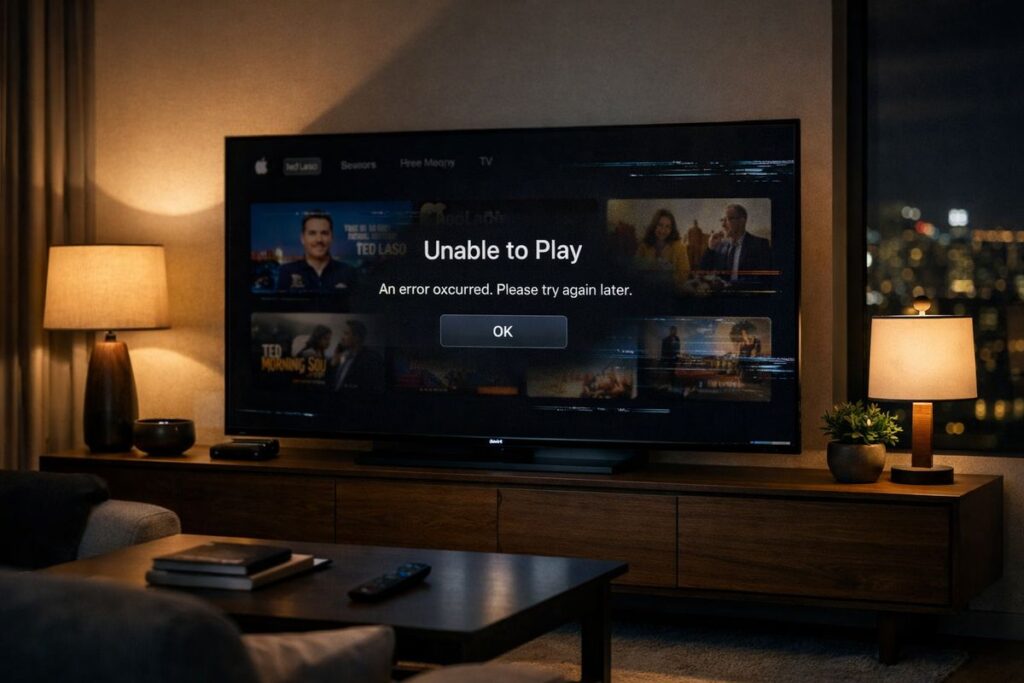
If you opened Apple TV ready to relax and were greeted by endless loading screens or error messages instead, you’re not alone. Apple TV experienced an outage that affected streaming and app access for some users, leading to widespread confusion and frustration.
Before you restart your Wi-Fi, your device, and possibly your patience, here’s a clear, verified explanation of what happened, what’s fixed, and what you should know.
Is Apple TV Down Right Now?
Apple TV experienced intermittent service disruptions, meaning some users were unable to stream content, open the app, or play videos, while others continued streaming normally. Apple confirmed the issue through its official system status updates, noting that only some users were affected and that availability varied by region.
At the time of the outage, users reported:
- Videos failing to load
- Playback stopping unexpectedly
- Generic error messages
In short, Apple TV wasn’t completely offline — but it definitely wasn’t behaving.
Read Also: Prime Technology Ltd: Computers, Accessories & Reliable Tech Support
What Caused the Apple TV Outage?
Apple has not released a detailed technical explanation, which is typical during short-term service disruptions. However, confirmed information indicates the outage was related to backend service interruptions affecting multiple Apple services.
Likely contributing factors include:
- Server-side issues
- Account authentication or App Store dependencies
- Temporary infrastructure disruptions
The important part: this was not caused by user devices, settings, or internet connections.
Services Affected During the Outage
The disruption wasn’t limited to Apple TV streaming alone. Some users also experienced problems with related Apple services, including:
- Apple TV app access
- Apple TV Channels
- App Store connectivity
- iTunes Store transactions
Not all services were affected at the same time, and many users reported partial or intermittent access.
Read More: UHD vs OLED TV: What’s the Difference and Which One Should You Buy in 2025?
Common Problems Users Experienced
During the outage window, users commonly encountered:
- Apple TV app not opening
- Content stuck on loading screens
- “Unable to play” or vague error messages
- Apple TV+ content not appearing
- Playback stopping mid-episode (always at the worst moment)
If this sounds familiar, your experience matches what many other users reported.
Is Apple TV Fixed Now?
Yes. Apple later updated its system status to show that affected services were restored and operating normally. For most users, Apple TV began working again without requiring any manual fixes.
However, it’s normal for recovery to be gradual:
- Some users may notice brief glitches
- Apps may need to be restarted
- Performance may improve over time
Apple outages often end quietly — one moment it doesn’t work, the next moment it does.
What You Can Do If Apple TV Is Still Not Working
If Apple TV still seems unstable on your device, these steps may help once services are restored:
- Restart your Apple TV or streaming device
- Close and reopen the Apple TV app
- Check your internet connection (just to rule it out)
- Sign out and sign back in to your Apple ID
- Update your device software
If the issue was server-side, patience is often the most effective solution.
Does the Apple TV Outage Affect Apple TV+?
Yes. Apple TV+ relies on the same infrastructure as Apple TV, so outages typically affect Apple TV+ content as well.
This may result in:
- Originals not loading
- Playback errors
- Missing or inaccessible content
These issues usually resolve once Apple restores full service.
How Long Do Apple TV Outages Usually Last?
Based on previous incidents:
- Minor disruptions last 30 minutes to a few hours
- Larger outages may last several hours
Extended outages are rare, and Apple generally resolves service issues the same day.
Read Also: Best Disability Scooters in the UK (2025) – Top Picks for Comfort, Safety & Budget
Final Thoughts
An Apple TV outage can quickly turn a calm evening into an unexpected troubleshooting session. While it’s tempting to assume something is wrong with your setup, most Apple TV outages are temporary and related to backend services rather than user devices.
The good news is that Apple typically resolves these issues quickly, often without users needing to take any action at all. Once services are restored, streaming usually returns to normal just as quietly as it stopped.
So if Apple TV isn’t working:
- It’s not your fault
- Your device probably isn’t broken
- And restarting everything five times, while emotionally satisfying, is rarely necessary
Sometimes the best fix is simply waiting.
FAQs
Why is Apple TV not working today?
Apple TV may not be working due to an intermittent service outage affecting streaming and app access for some users.
Is Apple TV down for everyone?
No. Apple TV outages are often regional or intermittent, meaning some users are affected while others can stream normally.
Does an Apple TV outage affect Apple TV+?
Yes. Since Apple TV+ relies on the same infrastructure, outages typically affect Apple TV+ content as well.
How long do Apple TV outages usually last?
Most outages are resolved within a few hours. Longer disruptions are uncommon.
Do I need to reinstall the Apple TV app?
In most cases, no. Outages are usually resolved without reinstalling apps or resetting devices.
Where can I check Apple TV’s official status?
Apple’s System Status page is the most reliable source for confirmed updates.
Trusted News Reports on the Apple TV Outage
- AppleInsider — Confirmed a multi-service Apple outage affecting Apple TV, App Store, and Maps.
- 9to5Mac — Reported Apple TV, iTunes Store, and App Store outages, later marked as resolved by Apple.
- LiveNOW from FOX — Covered widespread user reports of Apple TV streaming and playback errors.
- Moneycontrol — Reported global impact of the Apple TV and App Store outage with timeline details.
- The Economic Times— Confirmed Apple services, including Apple TV, were restored later the same day.